




Free
Start testing real client flows with no credit card required.
200 credits / mo
- 200 credits each month for live workflow validation
- 1 workspace for a solo setup
- Community support via Discord
- Workflows
- 5
- Retention
- 7 days
- Support
- Community

Run automated tests, build browser workflows, and orchestrate multi-step automations — all from one workspace. No extra tooling required.
Works with your stack
↳ #pay-btn not visible after 2000ms
Selector timeout — root cause found
3 occurrences this week. Not a flake.
How it works
Drop your test files here
Drop your existing spec files. Tynkr detects each test() block and turns it into a draft visual workflow, ready to edit and run.
Tynkr scores flakiness, clusters failures by signature and separates noise from real regressions — so your team only fixes what actually broke.
4min
avg. time to resolution
Login bug — Fixed
Routed to Jira · quarantined · PR unblocked
Every failure opens with full context. Route to Slack or Jira, quarantine known flakes, and unblock pull requests instantly.
Platform
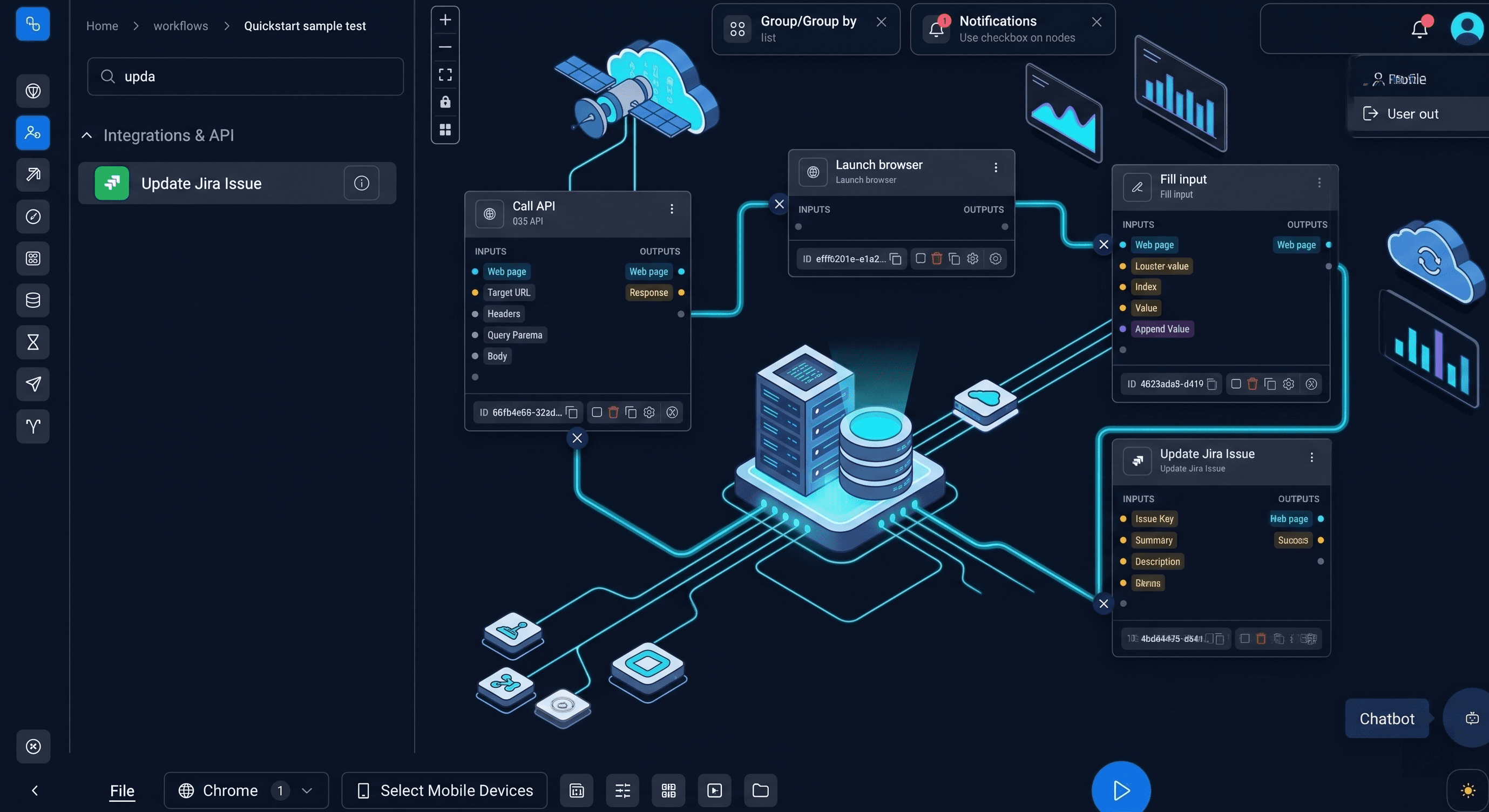
What used to take developers weeks, you can now automate in minutes. Just drag, drop, and go — no code required.

Enable continuous testing in your CI/CD pipeline with an agentic test automation platform.
Connect Jira, Slack, Gmail, SQL and more in one workflow.
Run tests across multiple browsers simultaneously to save time.
Outline your requirements — the agent builds and runs the entire flow.
Press ▶ to record flow…
Generate AI-powered test cases from your tracker issues, refine them in seconds, and create linked QA sub-tasks your team can track and execute.
Login page fails on Safari 17+
Pricing
Start solo with Free, or move straight to Professional when your company needs shared workflows, retention, and priority support.
Start testing real client flows with no credit card required.
200 credits / mo
The balanced plan for teams that need collaboration and speed.
10K credits / mo
Integrations
Tynkr runs on Playwright — the browser automation standard maintained by Microsoft and used by engineering teams at Google, Vercel, and thousands of companies worldwide. Results push directly into the tools your team uses to ship.
Playwright
by Microsoft
GitHub
Pull requests & Actions
Jira
Atlassian
Slack
Notifications
Azure DevOps
Microsoft
GitLab
CI/CD
CircleCI
CI/CD
Microsoft Teams
Notifications
FAQ
Answers to the most common questions about setup, workflow automation, no-code usage, integrations, and how teams use Tynkr in production.
Yes. Tynkr runs on top of real Playwright execution. You can import existing Playwright spec files from GitHub or upload them directly, and Tynkr converts each test scenario into an editable visual workflow.
You can upload .spec.ts, .spec.js, or .spec.py files directly, or connect your GitHub repository and import specs from any branch. Tynkr detects test blocks and translates common Playwright steps automatically.
No. You can build workflows visually using Tynkr's workflow editor without writing any code. You can also generate automation flows from plain-text descriptions using AI, or import existing Playwright specs.
Tynkr integrates with Jira, GitHub, Slack, and Azure DevOps. You can route failure notifications to Slack channels, create Jira tickets automatically on failure, and post results to GitHub pull requests as check runs.
Yes. Tynkr classifies every test failure as a real regression or an environment flake using root cause analysis and a pass-rate variance score. Flaky results are labeled separately so they do not pollute your release signal.
Yes. Tynkr includes visual regression with baseline comparisons and diff images as a built-in workflow step. You can catch UI drift before users do, alongside your functional test results.
Yes. Tynkr includes accessibility checks powered by axe-core and Lighthouse audits for performance, best practices, and SEO. These run as steps in the same automation workflow as your functional tests.
Tynkr captures the full execution evidence automatically: screenshots at each step, execution logs, network activity, and API call records. The failure is immediately reviewable without needing to reproduce it manually.
No. Tynkr is used by QA engineers, developers, product teams, and operations teams. You can automate browser workflows, operational processes, and validation steps beyond traditional QA testing.
Most teams have their first workflow running in minutes. You can start from a blank workflow, import an existing Playwright spec, or generate steps from a plain-text description using AI.
Still have questions?
Get in touchNo credit card required. Setup in 2 minutes.
Integrations
Connect Jira, GitHub, Slack and your databases — no glue code, no custom scripts, just results.